Expand your vision.

Your vision is vast; your canvas should be too. Insight provides the professional perspective to refine lighting, analyze composition, and expand your environments with high-resolution detail, supporting your craft from the first capture to the final frame.

Requires Photoshop 2024+ · No Subscription

Sound familiar?

These are the walls every Photoshop photographer hits. Insight was built to break through all three.

Don't let credits limit you

Traditional tools lock your imagination behind monthly caps. Insight gives you the freedom to iterate as much as you need.

Achieve more with less

Turn hours of tedious technical work into seconds of creative refinement.

An objective perspective

Get the honest, technical feedback you need to perfect your work privately, on your own terms.

Your Professional Toolkit

Multiple modules that stay in your layer stack, from generative work to critique you can act on.

Insight Advanced Generative Fill panel in Photoshop
Imagination

Advanced Generative Fill

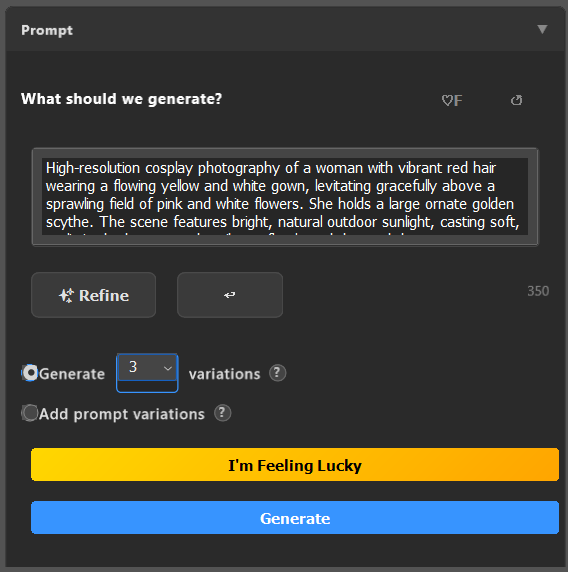
Enrich your frames and expand your canvas with high-resolution results that respect your original photography.

  • Camera-aware context from EXIF
  • No prompt engineering required; guided refinement translates your thoughts into perfect prompts
  • High-Resolution results up to 4K
  • Stays in your layer stack, non-destructive
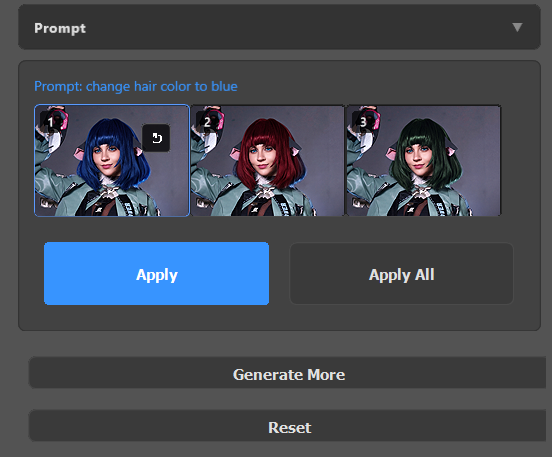
multi-variance preview grid
Ideation

Multi-Variance Generation

Generate up to ten variations in one run to compare ideas faster and pick the strongest direction.

  • Compare composition, color, and detail at a glance
  • Save time by generating multiple options simultaneously
  • Pick a winner, or pick them all
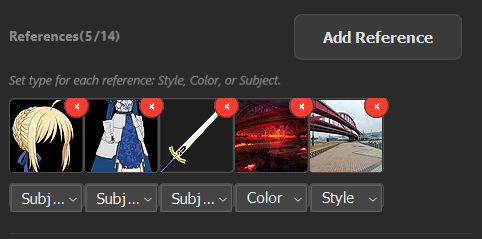
reference-based generation preview grid
Similarity

Reference-based Generation

Generate using up to 13 reference photos.

  • Generate an item, piece of clothes, a character, or a background from a reference photo
  • Modify the style or color of the photo to match the reference photo
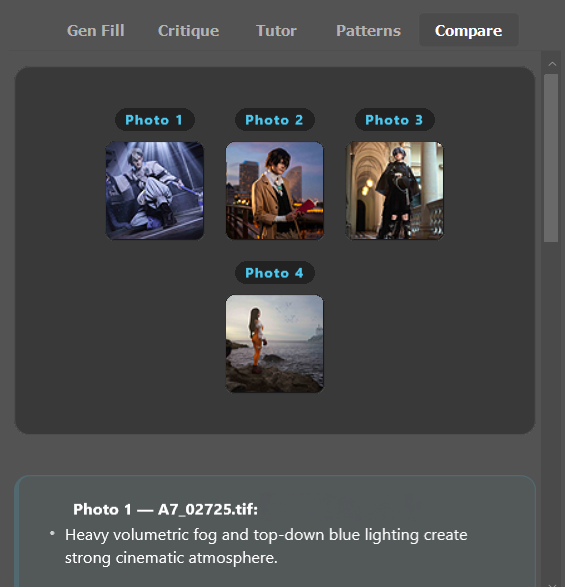
dynamic photo compare UI
Analysis

Dynamic Photo Compare

Stack multiple photos and rank them on composition, lighting, and impact.

  • Compare photos side-by-side
  • Rank them on composition, lighting, and impact
  • Choosing from similar photos or similar edits is made easy
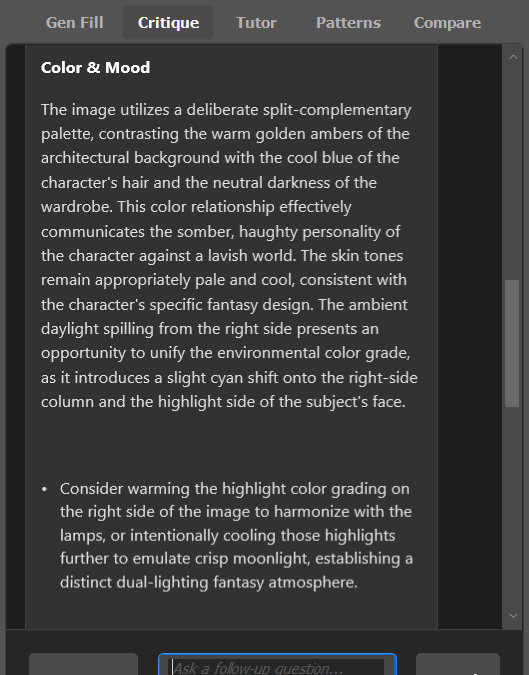
technical breakdown and lighting analysis
Honest Feedback

Objective Analysis

Get technical feedback that focuses on the physics of light, composition, and impact, privately.

  • Actionable technical notes, not generic praise
  • Identify lighting inconsistencies instantly
  • Adjustable critique tone (gentle, brutal, elaborate, or concise)
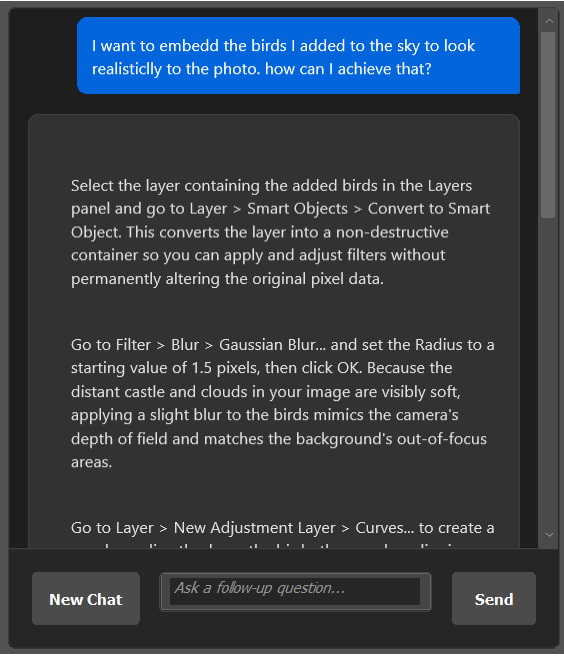
coaching and technique guidance
Technique

Personal Skill Coach

Context-aware guidance that analyzes your layers and explains how to achieve professional results manually over time.

  • Upgrade your skills, don't just replace them
  • Short, high-impact explanations
pattern analysis summary
Long-term

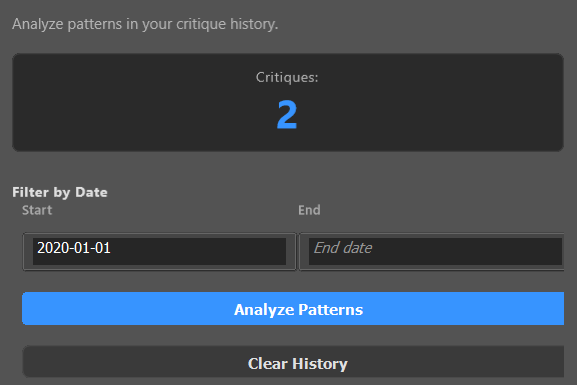
Pattern Analysis

Track repeating patterns across your recent work to help you stop repeating the same bad habits on future shoot.

  • Trends surfaced across your recent work

Technical proof

See how Insight assists in solving common photographic challenges across different genres.

Original unedited photo Processed photo with Insight
before after
"Elevating environments and replacing elements, maintaining original quality"
Original unedited photo Processed photo with Insight
before after
"Seamlessly compositing subjects with perfect lighting adjustment"
Original unedited photo Processed photo with Insight
before after
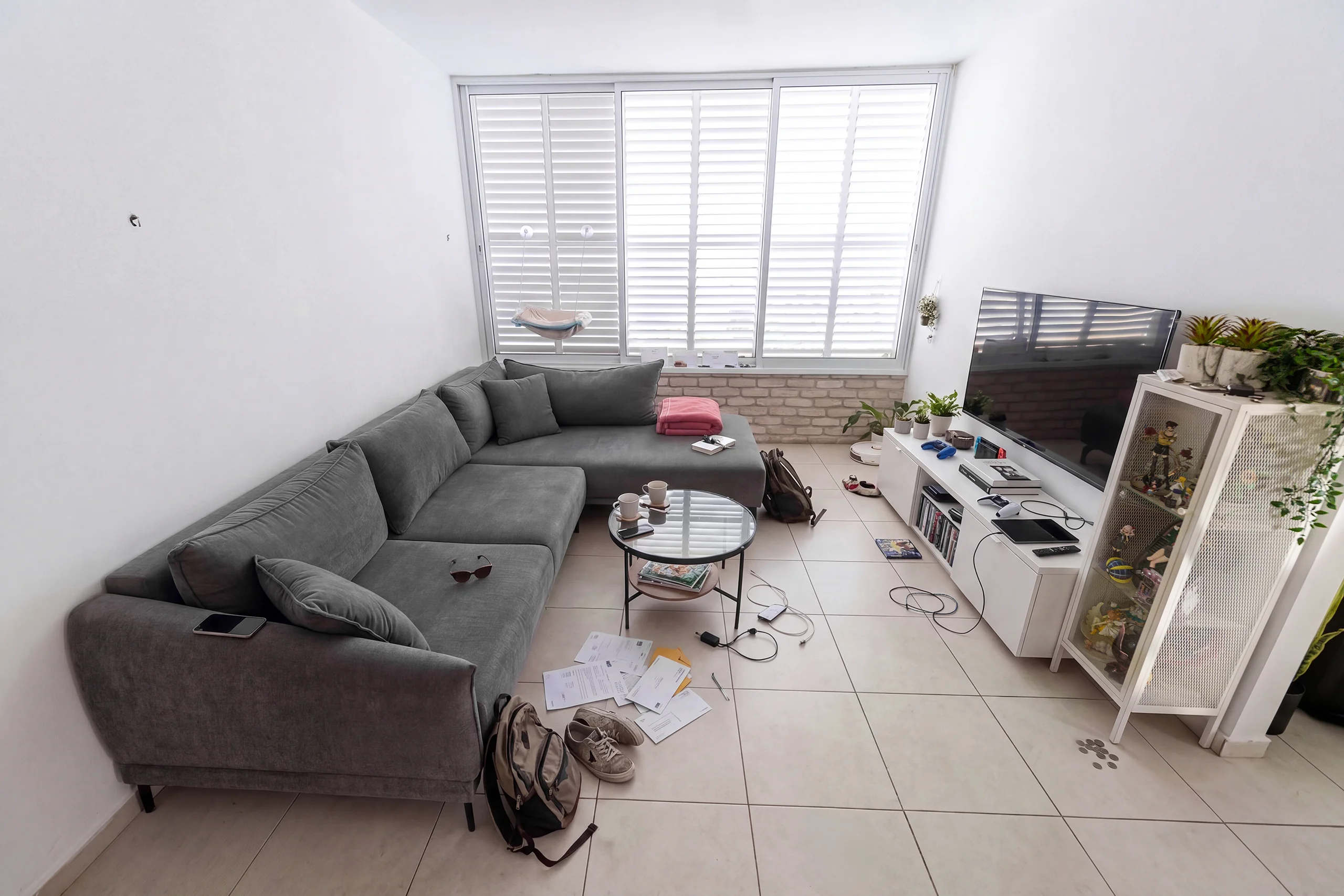
"Cleaning up cluttered spaces and enhancing natural light"
Original unedited photo Processed photo with Insight
before after
"Refining stage lighting and removing distracting crowd elements"

Retain full image quality

Even when generating the whole Canvas size, image quality is maintained.

High-resolution detail comparison

See it in action

Watch Insight turn a complex edit into a 30-second workflow.

How it works

1

Install in 5 minutes.

Download the plugin and double click the file.

2

Set up your Gemini API Key.

Register to Gemini studio, few clicks and you're ready to go.

3

Work smarter.

Critique, generate, compare, and learn. Everything happens in your canvas, in new layers.

Insight vs the usual stack

Same canvas. Radically different cost, control, and depth.

Insight vs the usual stack
Feature Adobe Firefly (Nano Banana) Insight
4K access, no lock-in Some Yes
Up to 13 references Some Yes
Guided prompt refinement No Yes
Usage-based cost control No Yes
10-variant generation No Yes
Multi-document compare No Yes
Private tutor No Yes
Pattern analysis over time No Yes
Leverage your own Gemini access No Yes
A note from the developer

Enriching imagination, one pixel at a time.

I've spent over 15 years behind a lens, balancing the art of photography with the endless hours spent refining a single frame to perfection. I built Insight because I wanted a tool that would help photographers enrich their imagination and achieve more without the technical friction that often stalls a great idea.

As a developer and a photographer first, my goal was simple: build an assistant that handles tedious editing flows and act as a second set of eyes, so you can stay focused on your creative vision. Insight is a passion project born from the belief that professional tools should be accessible, empowering, and above all, designed to amplify the artist’s unique eye.

Luvetis

Insight for Photoshop

Insight for Photoshop

$15

One-time purchase · No subscription

  • All feature modules
  • Lifetime updates (current version)
  • Leverage your own Gemini access: transparent usage-based cost
  • Pay only for what you use
  • Works with Photoshop 2024+
  • Windows & Mac
Get Insight

Secure checkout powered by Lemon Squeezy.
Use your own API key. Pay per generation. No monthly generation cap from Insight.

FAQ

Do I need to pay for the Gemini API?

Free tier is available via Google AI Studio and usable with all text features. Generative features requires a billed account.

Which Photoshop versions are supported?

Photoshop 2024 (v25.0) and later. CC subscription required (Insight is a plugin, not a replacement).

Does Insight work on Mac and Windows?

Yes, both are supported.

Is my data private?

Insight uses your own Gemini API key. Images are processed by Google's API per their [privacy policy](https://ai.google.dev/gemini-api/terms). Insight itself stores no data.

Will my photos be trained on Google's servers?

When using Paid Services, Google doesn't use your prompts or responses to improve our products. Always stay up to date with [Google's privacy policy](https://ai.google.dev/gemini-api/terms#data-use-paid).

Can I get a refund?

Refer to Lemon Squeezy's refund policy. If you have a technical issue, contact the email listed in the footer.

How is this different from Photoshop's native AI?

Insight support 4K generations, reads the photo's EXIF data, supports reference images, multiple variants, and adds critique/analysis/tutoring tools that Adobe doesn't offer.

How much does it actually cost to generate with Insight?

Insight uses your own Gemini API key, so pricing is usage-based (per generation, model, and resolution). Competitor plans may use monthly credit buckets for partner models, and generation capacity depends on per-generation credit cost. Check current plan pages for up-to-date limits and promotions.

Will more AI models be supported?

Yes. Additional public AI models are planned. Current support covers Gemini models via your own API key.

Do I need an internet connection?

Yes, for AI features. The plugin panel itself opens offline, but generation/critique requires API access.